
ProRank vs Autoptimize: speed test and features
Autoptimize is a free, long-standing tool for CSS and JavaScript. ProRank covers that and adds page caching, image compression and the SEO tools. Here is how they compare, with our own speed test and its limits.
- Features and prices checked on .
- Speed test run by ProRank on , with Autoptimize 3.1.14.
ProRank and Autoptimize in brief
Autoptimize is free and focuses on CSS and JavaScript: it combines and minifies files, inlines critical CSS that you paste in, lazy-loads images and removes WordPress extras such as emojis.
Page caching, delayed JavaScript, a page-by-page script manager and image compression need Autoptimize Pro, or ShortPixel credits for images. It has no SEO features and no database cleanup.
ProRank's free plan includes page caching, delayed JavaScript, image compression and database cleanup. Generated critical CSS needs ProRank Pro, and the script manager needs Pro.
Average mobile PageSpeed score, three themes
- ProRank95.0
- Autoptimize79.0
- No speed plugin72.0
- Mobile score by theme: ProRank higher on all 3 themes.
- Mobile Largest Contentful Paint: ProRank faster on all 3 themes.
- Average desktop score: ProRank 100.0, Autoptimize 97.7.
- One lab test by ProRank, scores out of 100; details and caveats are below.
Speed test results
Google PageSpeed Insights lab results for the same test site with each setup. Scores are out of 100, higher is better; for the timings and layout shift, lower is better and the better figure is in bold.
PageSpeed scores
| Theme | ProRank | Autoptimize | No speed plugin |
|---|---|---|---|
| Mobile score | |||
| Astra | 96 | 77 | 69 |
| Hello Elementor | 93 | 80 | 69 |
| GeneratePress | 96 | 80 | 78 |
| Average | 95.0 | 79.0 | 72.0 |
| Desktop score | |||
| Astra | 100 | 96 | 96 |
| Hello Elementor | 100 | 99 | 96 |
| GeneratePress | 100 | 98 | 98 |
| Average | 100.0 | 97.7 | 96.7 |
Astra
| Measure | ProRank | Autoptimize |
|---|---|---|
| Mobile | ||
| First Contentful Paint | 1.8 s | 1.8 s |
| Largest Contentful Paint | 2.4 s | 5.8 s |
| Total Blocking Time | 0 ms | 3 ms |
| Cumulative Layout Shift | 0.000 | 0.029 |
| Speed Index | 2.7 s | 2.7 s |
| Desktop | ||
| First Contentful Paint | 295 ms | 846 ms |
| Largest Contentful Paint | 407 ms | 1.2 s |
| Total Blocking Time | 0 ms | 0 ms |
| Cumulative Layout Shift | 0.000 | 0.007 |
| Speed Index | 318 ms | 1.2 s |
Hello Elementor
| Measure | ProRank | Autoptimize |
|---|---|---|
| Mobile | ||
| First Contentful Paint | 1.1 s | 2.1 s |
| Largest Contentful Paint | 2.6 s | 4.9 s |
| Total Blocking Time | 0 ms | 30 ms |
| Cumulative Layout Shift | 0.000 | 0.000 |
| Speed Index | 2.4 s | 2.7 s |
| Desktop | ||
| First Contentful Paint | 302 ms | 401 ms |
| Largest Contentful Paint | 561 ms | 861 ms |
| Total Blocking Time | 0 ms | 0 ms |
| Cumulative Layout Shift | 0.000 | 0.000 |
| Speed Index | 864 ms | 499 ms |
GeneratePress
| Measure | ProRank | Autoptimize |
|---|---|---|
| Mobile | ||
| First Contentful Paint | 1.1 s | 1.9 s |
| Largest Contentful Paint | 2.7 s | 5.0 s |
| Total Blocking Time | 0 ms | 0 ms |
| Cumulative Layout Shift | 0.000 | 0.000 |
| Speed Index | 1.1 s | 3.0 s |
| Desktop | ||
| First Contentful Paint | 304 ms | 514 ms |
| Largest Contentful Paint | 548 ms | 1.0 s |
| Total Blocking Time | 0 ms | 0 ms |
| Cumulative Layout Shift | 0.000 | 0.000 |
| Speed Index | 347 ms | 1.2 s |
How the speed test was run
- Run by
- ProRank, on 16 February 2026. This is our own lab test, not an independent one.
- Measured with
- Google PageSpeed Insights (lab data). Median of three runs for each plugin and theme; the ProRank "v2" re-test used single verified runs.
- Site
- WordPress 6.9.1, PHP 8.3.6, Nginx 1.28.2, hosted with Hetzner, Germany. Elementor Pro, tested on Astra, Hello Elementor, GeneratePress.
- Versions
- Autoptimize 3.1.14 (the current version is 3.1.17, so results may differ today). ProRank is recorded as "v2" of ProRank SEO Premium.
- Settings
- Each plugin was configured by ProRank for its best result.
- Raw reports
- Not published. The figures on this page are the recorded results. PageSpeed lab scores move between runs, so treat differences of a few points with caution.
- Other plugins active
The test site ran 27 plugins, including both Yoast SEO and Rank Math SEO at the same time, which a real site would not do:
WooCommerce, BuddyPress, bbPress, Elementor Pro, Rank Math SEO, Yoast SEO, Jetpack, Contact Form 7, WPForms Lite, Wordfence Security, MonsterInsights, UpdraftPlus, WP Mail SMTP, All-in-One WP Migration, Classic Editor, Redirection, TablePress, Simple Custom CSS and JS, Insert Headers and Footers, Starter Templates, Akismet Anti-Spam, Health Check & Troubleshooting, Query Monitor, WP Super Cache (disabled), Safe SVG, User Role Editor, Advanced Custom Fields.
- Autoptimize in this test
Autoptimize 3.1.14, the free version, was tested. It has no page cache of its own.
Features compared
What each plugin offers today, and which ProRank plan you need for it. Autoptimize is checked against its own website and documentation.
| Feature | ProRank | Autoptimize |
|---|---|---|
| Caching | ||
| Page caching | Free plan | Paid planAutoptimize Pro |
| Browser caching headers | Free plan | IncludedIts own CSS and JS files |
| CDN integration | Free plan | Included |
| Database cleanup | Free plan | Not included |
| Redis or Memcached object cache | Pro plan | Not included |
| CSS and JavaScript | ||
| CSS and JavaScript minification | Free plan | Included |
| Delay JavaScript until interaction | Free plan | Paid planAutoptimize Pro |
| Critical CSS | Pro plan | IncludedPasted by hand; automatic in Pro |
| Turn scripts off page by page | Pro plan | Paid planAutoptimize Pro |
| Images and fonts | ||
| Lazy loading | Free plan | Included |
| Image compression | Free plan | Paid planPro or ShortPixel credits |
| WebP or AVIF conversion | Free plan | Paid planPro or ShortPixel credits |
| Remove WordPress extras (emojis, embeds) | Free plan | Included |
| SEO | ||
| SEO titles and meta descriptions | Free plan | Not included |
| XML sitemaps | Free plan | Not included |
| Schema markup | Free plan | Not included |
| Redirect manager | Free plan | Not included |
Checked on against Autoptimize’s own pages (version 3.1.17):
- Autoptimize on WordPress.org (version 3.1.17)
- Autoptimize Pro features and pricing
- Autoptimize terms (refunds)
“Paid plan” means the feature needs Autoptimize’s paid version; “Paid add-on” means a separate paid product or service. “Not included” means the vendor’s own feature list and documentation did not offer it on that date. Rows we could not confirm are left out. ProRank’s plan labels come from our pricing page. Plugins change often; if you spot something out of date, tell us and we will correct it.
The speed settings in ProRank
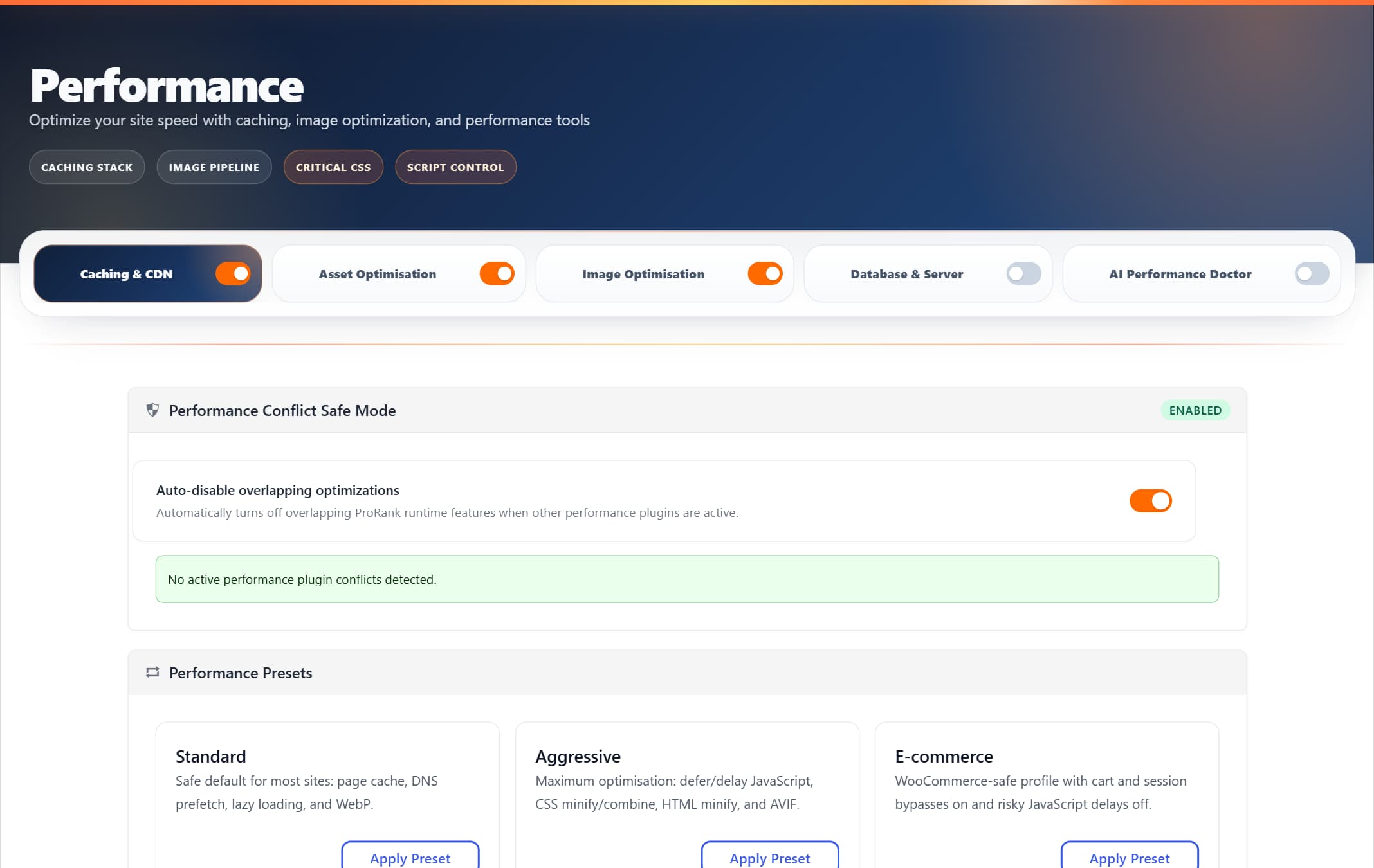
Caching, CSS and JavaScript, images and the database each have their own switch in ProRank, and the presets set them in one step.
What each costs
Both have a starting point you can try first. Competitor prices are as shown on their own pricing pages on . Prices change and sale prices end, so check before you buy.
ProRank SEO
- Free
- Free, on WordPress.org
- Pro
- $99 a year, 1 site
- Business
- $199 a year, 5 sites
- Agency
- $399 a year, 25 sites
US dollars, excluding VAT, billed yearly. 30-day money-back guarantee. The speed test ran ProRank SEO Premium; page caching itself is in the free plan.
Autoptimize
Free version on WordPress.org. Paid version from:
$89 a year
Autoptimize Pro for one site, or $12.99 a month. The free version on WordPress.org stays free.
Try ProRank on your own site
The free plugin includes page caching, image compression and the SEO tools. It recognizes 39 common caching, asset and image plugins and turns off only its own overlapping features, so you can compare on your own pages.