
Solutions · WordPress SEO
An all-in-one SEO and speed plugin for WordPress
ProRank SEO puts titles and meta, sitemaps, redirects, schema, internal links, page caching and image optimization in one plugin. You set it up in one place instead of keeping five plugins from overlapping.
Free on WordPress.org for one site. Pro is $99 a year.
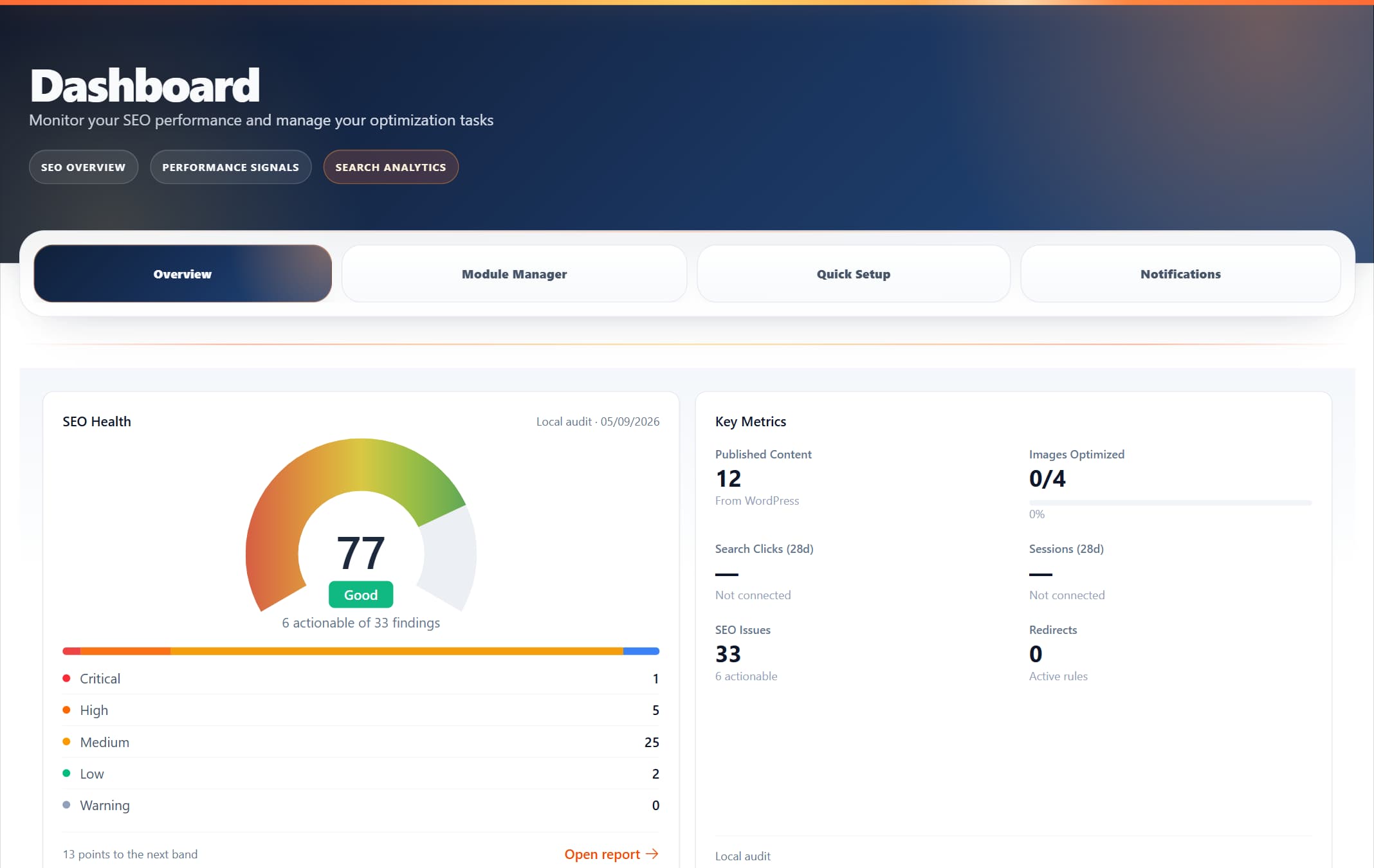
One plugin instead of a stack that overlaps
A typical WordPress site runs an SEO plugin, a caching plugin, an image optimizer and a redirect plugin, and often one more for schema or internal links. Each has its own settings screen and its own renewal, and two of them often do the same job: both minifying the same CSS, or both printing schema for the same page.
ProRank keeps those jobs under one menu, ProRank SEO, in your WordPress admin. If you want to keep another caching, asset or image plugin, ProRank recognizes 39 common ones and switches off only its own modules that would overlap.
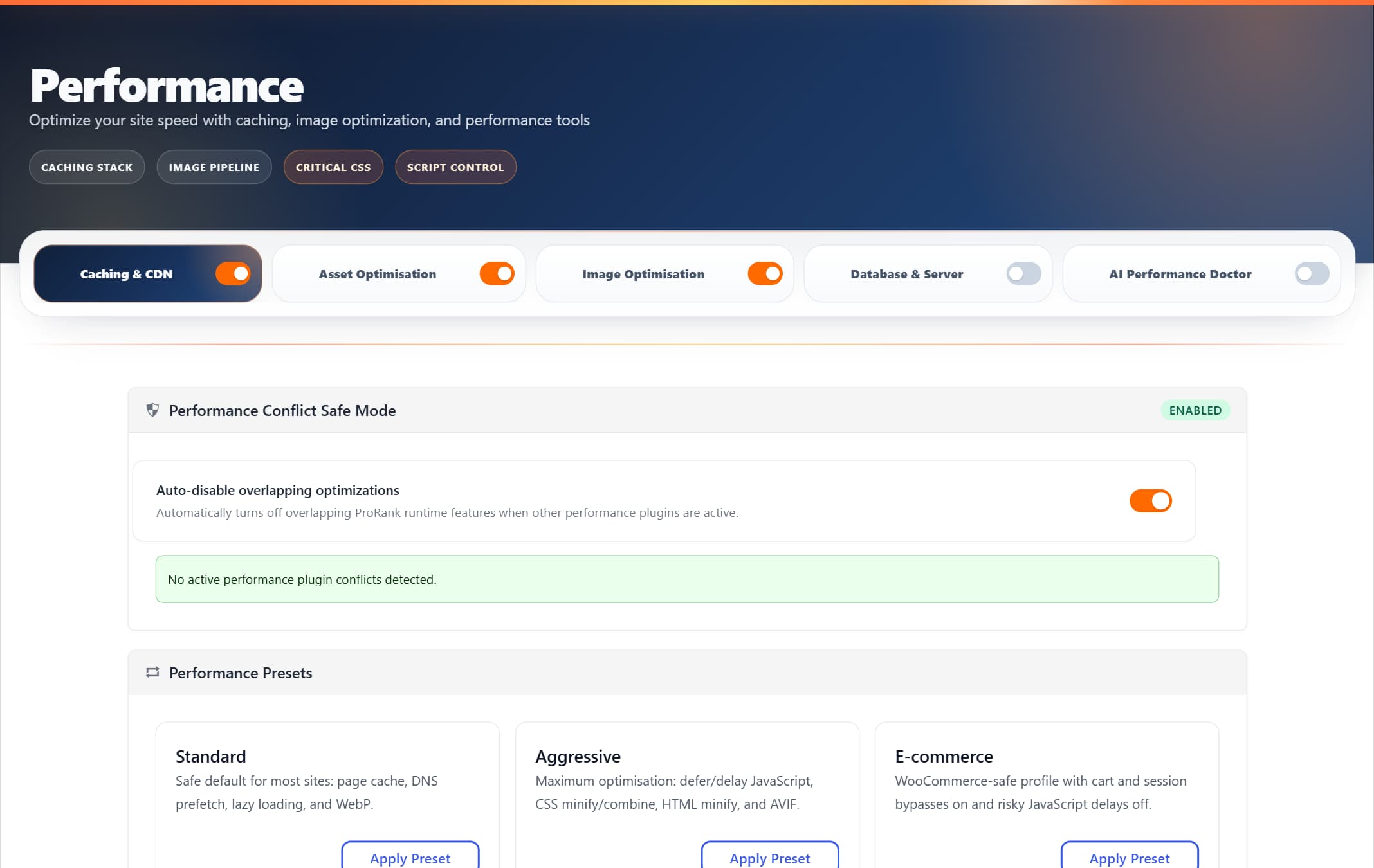
What the free plugin covers
Titles and meta descriptions
Plan: FreeTemplates for every post type and taxonomy with variables such as the post title, plus per-post overrides in the editor and bulk editing with a preview. Titles and meta docsXML sitemaps
Plan: FreeGenerated as you publish. Noindex and password-protected pages are left out, and builder template records stay out of the sitemap.Redirects and 404 log
Plan: Free301 and 302 redirects, regex rules, groups, and start or end dates. The 404 log records broken URLs and suggests where to send them.Schema markup
Plan: FreeArticle, Organization and WebSite structured data without setup. Other types and the visual builder are in Pro. See schema markup for WordPress.Internal link suggestions
Plan: FreeA saved inbox of link opportunities with a preview of the sentence each link would sit in, and an editor for links already on a page. See internal linking.Page cache and asset settings
Plan: FreePage caching that serves the saved copy while it refreshes in the background, CSS and JavaScript minification, lazy loading and font hosting. See Core Web Vitals fixes.Image optimization
Plan: FreeWebP and AVIF conversion with the image libraries on your server, with optional cloud processing. See image optimization.Site audit
Plan: FreeCrawls your site from WordPress and lists issues with the pages they affect. Long crawls keep a labelled partial report. See the free WordPress SEO audit.
What Pro, Business and Agency add
Paid plans add the modules below. Each column lists modules that start on that plan, and every higher plan includes them. The pricing page has the full list, and the AI tools and analytics pages explain those modules in detail.
Pro, $99 a year, 1 site
- Advanced Schema Generator
- Advanced Internal Linking
- Visual Link Map
- Critical CSS
- Remove Unused CSS
- Local SEO
- WooCommerce SEO
- AI Tools
Business, $199 a year, 5 sites
- Role Manager
- Audit Log
- Keyword Research
- Performance Tracking
- AI Performance Doctor
- Performance Monitor
Agency, $399 a year, 25 sites
- White Label
- Client Reporting
- SEO Roadmaps
- SEO Simulator
Switching from Yoast, Rank Math, AIOSEO or SEOPress
The Migration Center reads supported titles, descriptions, social fields, redirects and schema settings from your current plugin. Preview shows what it found and what it will skip before anything is written.
After an import you can undo it for seven days. That undo is a safety net, not a backup, so take a database backup before migrating a large site. Import and rollback docs
Editing where you already write
SEO fields sit in the block editor sidebar, and ProRank supports Elementor, Divi and Beaver Builder. Version 1.7.0 added a page SEO inspector, keyword checks that understand synonyms, and readability checks that follow your unsaved edits.
What it needs and what it does not do
What it needs
- WordPress 6.8 or higher and PHP 8.2 or higher (8.3 recommended).
- MySQL 5.7 or MariaDB 10.3 or higher, and at least 128 MB of PHP memory.
- Search Console and Google Analytics 4 connections are optional; analytics screens stay empty without them.
- AI features start on Pro and run on your own AI provider account, so provider usage is billed to you.
What it does not do
- It does not promise rankings. It fixes and reports on the things you control on your own site.
- It is not hosting or a CDN. The page cache runs on your server.
- Imports do not bring over SEOPress or AIOSEO location records, and Yoast redirects need Yoast Premium.
- Agency features such as white label and client reports are not in Business.
Pages for each job
- Free WordPress SEO auditRun the built-in crawl and work through issues by severity.
- Core Web Vitals for WordPressCaching, CSS and script settings for slow LCP, layout shift and INP.
- Schema markup for WordPressStructured data from site settings, post types and the visual builder.
- Internal linkingFind orphan pages and add links from a reviewed list of suggestions.
- WooCommerce SEOProduct schema, shop pages and sitemaps for WooCommerce stores.
- Image optimizationWebP and AVIF conversion, compression and lazy loading for your media library.
- Local SEOLocations, LocalBusiness schema and a store finder for businesses with addresses.
- For bloggersContent checks, internal links and image alt text for content sites.
- For publishersNews sitemaps, caching for traffic spikes and editorial team controls.
- For agenciesWhite label, client reports and team controls for client sites.
Install the free plugin
Download ProRank SEO free from WordPress.org and set up titles, sitemaps and caching on one site. Move to a paid plan only when you need one of its modules.