
AI Traffic Monitor
Track referral traffic from AI-powered platforms to your WordPress site
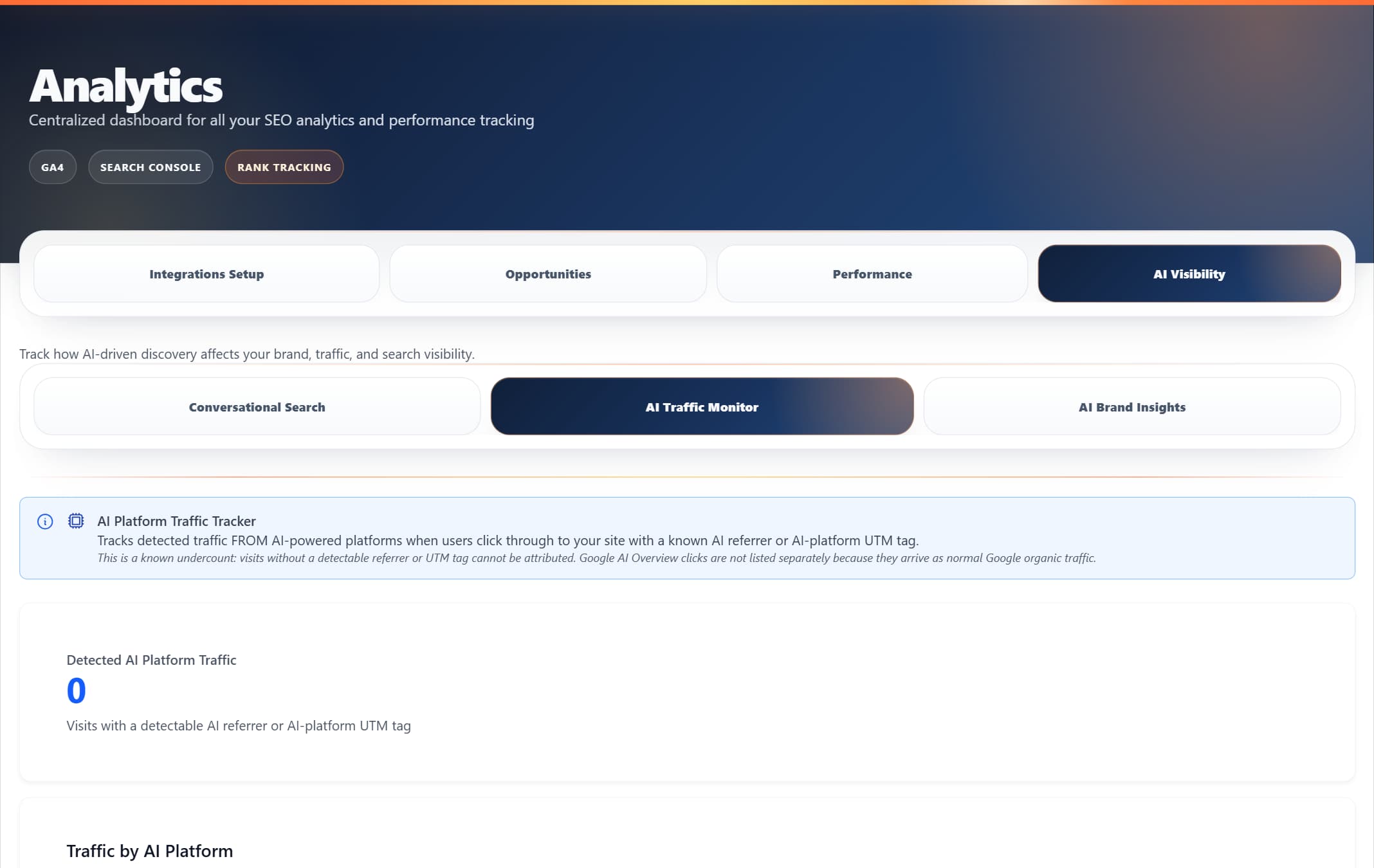
ProRank 1.6.0 · WordPress demo · Captured 5 September 2026
Overview
The AI Traffic Monitor tracks visitors who arrive at your site from AI-powered platforms like ChatGPT, Claude, Perplexity, and Gemini. It detects referrer headers to log which AI tools are sending traffic to your content.
Note: This module tracks visitors arriving FROM AI platforms via referrer headers. It does not detect whether AI Overviews appear in Google search results for your keywords.
AI Platform Visitor Tracking
Monitor real visitors arriving from ChatGPT, Claude, Perplexity, and other AI tools via referrer detection
Optimisation Guidance
Best practices for structuring content to be referenced by AI-powered search
Getting Started
Requirements
- Business+ licence or higher
- No additional setup needed — tracking starts automatically
How It Works
- Navigate to Analytics → AI Traffic Monitor in your WordPress admin
- The module automatically detects visitors from AI platforms via HTTP referrer headers
- Visit data is logged with platform name, URL visited, and timestamp
- View your AI traffic dashboard to see which platforms send visitors
AI Platform Visitor Tracking
Real-time tracking of visitors arriving from AI platforms helps you understand which AI tools are driving traffic to your site. This data is collected automatically and updated immediately.
Platforms We Track
chat.openai.com
claude.ai
perplexity.ai
gemini.google.com
copilot.microsoft.com
ai.google.com
How Tracking Works
- AI platform user clicks a link to your site in an AI response
- Our system detects the referrer header from the AI platform
- Visit is logged with platform, URL visited, and timestamp
- Dashboard updates immediately with new visit count
- Historical data stored for trend analysis (last 1000 visits)
Privacy Note: We only track referrer information and visited URLs. No personal user data is collected or stored.
Accessing Your Data
AI platform visit data is available through:
- The Analytics → AI Traffic Monitor dashboard in WordPress admin
- The REST API endpoint for programmatic access
Privacy Note: Only referrer information and visited URLs are tracked. No personal user data is collected or stored.
Earning AI Platform Citations
To increase the chances that AI platforms cite and link to your content, consider these content strategies:
1. Optimise for Direct Answers
- • Place clear, concise answers in the first 40-60 words of your content
- • Use question-based headings followed immediately by answers
- • Structure content in easily extractable chunks
2. Implement Structured Data
- • Add FAQ schema to Q&A content
- • Use HowTo markup for tutorials and guides
- • Implement Article schema with clear descriptions
3. Improve Content Structure
- • Break long paragraphs into 40-80 word chunks
- • Use bullet points and numbered lists
- • Add summary boxes and key takeaways
4. Focus on Unique Value
- • Add original research and data
- • Include expert quotes and insights
- • Provide deeper context that AI summaries can't capture
Frequently Asked Questions
Why am I seeing 0 visits?
This is normal if no AI platform users have clicked links to your site yet. AI referral traffic is still relatively uncommon for most sites. The counter will increase as AI platforms link to and cite your content.
Which platforms can be detected?
ChatGPT (chat.openai.com), Claude (claude.ai), Perplexity (perplexity.ai), Google Gemini (gemini.google.com), Microsoft Copilot (copilot.microsoft.com), and Google AI (ai.google.com). Detection depends on whether the platform sends a referrer header when users click outbound links.
Do I need to install additional tracking codes?
No. All tracking happens server-side through WordPress using HTTP referrer headers. No additional scripts or codes are needed.
Can this detect if Google AI Overviews are showing for my keywords?
No. Google does not provide AI Overviews data through their API. This module only tracks visitors who arrive at your site FROM AI platforms — it cannot detect whether AI Overviews appear in search results for your keywords.